hero background image

ERP for manufacturing: the ultimate guide

November 27, 2025

Key features of manufacturing ERP systems

Production planning & scheduling

Generating realistic production plans and schedules by combining demand forecasts and confirmed orders with real-time capacity, material, and resource availability data to ensure a smooth production flow and minimize waste.

Shop floor control & execution

Getting a real-time view of key shop floor activities, including material consumption, production output, scrap levels, and workforce utilization, to have complete control over every aspect of the production line and make informed decisions that streamline production execution and improve overall efficiency.

Inventory control

Tracking raw materials, work-in-progress, and finished goods across multiple warehouses with automated, real-time data updates to detect discrepancies between actual stock levels and demand and streamline inventory management, reducing stockouts and overstocks, as well as inventory carrying costs.

Supply chain management

Achieving end-to-end, real-time visibility across the supply chain and getting automated alerts and notifications about potential issues and actual disruptions, like shipment delays, freight damage, or loss, to streamline supply chain planning, management, and execution, while minimizing operational risks.

Order management

Automating order management tasks, from multi-channel order capture and scheduling to order processing and fulfillment, to enable on-time delivery, eliminate order processing errors, and maintain high service levels, increasing customer satisfaction and retention.

Quality & compliance management

Achieving consistent high product quality and meeting state, industry-specific, and internal compliance standards through automated scheduling and triggering of quality checks and inspections of materials, components, and finished goods, as well as issue tracking, corrective action management, and reporting.

Bill of Materials (BOM) management

Structuring and storing detailed product information, including the complete list of raw materials, components, supplier information, and assembly steps, to enable efficient production planning and ensure consistency and accuracy through manufacturing processes.

Materials Requirements Planning (MRP)

Generating accurate calculations of what materials and in what quantities are needed to meet production schedules to support production planning, allocate resources efficiently, and minimize the risk of production interruptions.

Procurement management

Automating the entire procure-to-pay process, including purchase order creation, approval workflows, invoice processing, and supplier management and running real-time analytics to enhance financial transparency, measure supplier performance, and enforce budget controls.

Equipment maintenance control

Monitoring machine performance and automating maintenance schedules based on real-time condition data, usage patterns, and production plans to minimize unexpected breakdowns, extend asset lifespan, and reduce maintenance costs.

Project management

Planning, executing, and monitoring manufacturing projects, from new product development to operations scaling, while enabling effective, cross-department project collaboration to improve project transparency, meet deadlines, and optimize resource allocation.

Business intelligence & reporting

Consolidating and transforming disparate production data into insightful dashboards to monitor key metrics, detect bottlenecks and their root causes, assess operational efficiency, and make realistic forecasts.

Implement a tailored ERP solution for manufacturing

Schedule a call

Benefits of using ERP for manufacturing

End-to-end business process visibility

Accurate and timely data on core business processes accumulated in a central database allows all authorized parties to access corporate records, collaborate efficiently, and make informed decisions faster.

Maximized equipment utilization

The ERP system automates equipment scheduling based on production plans, real-time inventory, and equipment performance data, thereby minimizing idle time and breakdowns and ensuring more efficient use of assets.

Lean manufacturing enablement

ERP generates realistic and accurate production schedules supporting just-in-time and make-to-order manufacturing, enforces production standardization to minimize defects, and provides full visibility into production processes to foster continuous optimization, all of which are fundamental principles of lean manufacturing.

Risk mitigation

A comprehensive overview of all business processes provided by ERP helps detect operational loopholes and predict and proactively address possible risks, ensuring compliance with regulatory requirements.

Streamlined data analysis

With built-in data analytics and visualization tools, ERP enables effective data-driven decision-making, providing real-time insights to improve production efficiency, optimize resource allocation, and quickly identify performance bottlenecks across the manufacturing cycle.

Cross-functional collaboration

Implementing an ERP system creates a centralized channel for information exchange, eliminating communication bottlenecks, reducing delays, and enhancing overall operational efficiency.

Best ERP solutions for the manufacturing industry

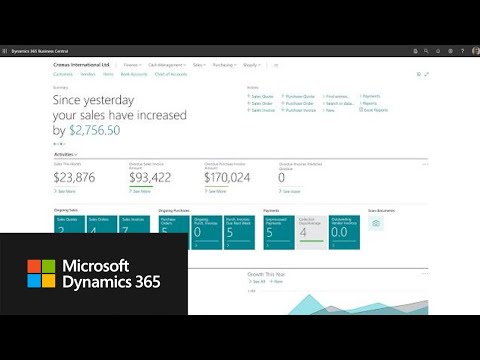
Video thumbnail
Core features
  • Production planning
  • Inventory and warehouse management
  • Quality control
  • Product lifecycle management
  • Orders management
  • Materials management
  • Equipment maintenance
  • Finance management
  • Analytics and reporting
Deployment
  • SaaS, PaaS, and on-premises
Target companies
  • Small and midsize businesses
Pricing
  • Depends on the number of users and selected modules
Core features
  • Production bill of materials
  • Production order management
  • Supply chain management
  • Master production scheduling
  • Demand forecasting
  • Sales and inventory forecasting
  • Capacity planning
  • Version management
  • Machine centre management
Deployment
  • Cloud and on-premises
Target companies
  • Small businesses and midsize organizations
Pricing
  • Depends on the number of users and selected functionality
Core features
  • Production planning and scheduling
  • Bill of materials
  • Shop floor management
  • Product lifecycle management
  • Resource and capacity management
  • Inventory and warehouse management
  • Product configuration
  • Quality and compliance management
Deployment
  • On-premises and cloud
Target companies
  • Medium and large organizations
Pricing
  • Depends on the used functionality and the number of users
Core features
  • Shop floor management
  • Multilevel BOMs
  • Engineering change orders
  • Product quality management
  • Supply chain control tower
  • Demand, supply, and capacity planning
  • Production planning and scheduling
  • Order fulfillment
  • Cycle counting
  • Manufacturing mobile
Deployment
  • SaaS
Target companies
  • Companies of all sizes
Pricing
  • Depends on the number users and selected functionality
Video thumbnail
Core features
  • Production management
  • Bill of materials monitoring and routing
  • Material requirements planning
  • Product сonfigurator
  • Advanced inventory management
  • Order management
  • Engineering change control
  • Warehouse management
  • Project accounting
Deployment
  • SaaS and private cloud
Target companies
  • Small and midsize companies
Pricing
  • Depends on the selected functionality, transaction volume, and deployment model
Video thumbnail
Core features
  • Production management
  • Material requirements planning
  • Product lifecycle management
  • Forecasting and demand planning
  • Product configurator
  • Manufacturing execution system
  • Multi-plant management
  • Supply chain management
  • Work-in-Progress (WIP) tracking
  • BI and reporting
Deployment
  • Cloud and on-premises
Target companies
  • Small and midsize companies
Pricing
  • Depends on the number of users and the selected functionality
Video thumbnail
Core features
  • Production management
  • Sales and order management
  • Supply chain control
  • Inventory and warehouse management
  • Assets management
  • Quality and compliance management
  • Project management and program delivery
  • Financial management
  • BI and reporting
Deployment
  • Cloud
Target companies
  • Businesses of all sizes
Pricing
  • Depends on the number of users and selected functionality

Real-life example of manufacturing ERP implementation

Software suite for a UK kitchen manufacturer

21%

sales increase

Software suite for a UK kitchen manufacturer

Itransition helped a leading UK kitchen manufacturer and retailer with 90+ distribution centers nationwide develop a suite of software solutions, including a custom integrated СRM/ERP system for streamlined order management. The delivered CRM/ERM solution was integrated with other business automation solutions, including the warehouse management system and ecommerce module. The developed software ecosystem helped the customer grow sales, improve their business processes, and enhance client engagement and experience.

Manufacturing ERP: a selection guide

Owing to the wide range of manufacturing ERP solutions available on the market, choosing the best one can be challenging for companies. The following criteria will help manufacturers decide on the best ERP manufacturing system suitable for their production processes and business objectives.

Generic ERP vs manufacturing ERP

When choosing the best ERP solution, you should decide whether to go for a generic ERP platform, sometimes referred to as a tier-one ERP system, or choose ERP for manufacturing, the so-called tier-two ERP software.

Generic ERP

Manufacturing ERP

Purpose

Encompasses basic functionality/capabilities required by companies from different industries.

Addresses industry-specific needs of process manufacturing and discrete manufacturing companies.

Customization

Requires extensive customization to align with manufacturing processes.

Requires less customization since the system offers industry-specific out-of-the-box functionality tailored to manufacturing needs.

Best for

Companies that need standard software to address their finance and supply chain processes and have their manufacturing-specific workflows covered with standalone solutions.

For companies that need manufacturing software to support production-specific workflows.

Considerations
  • More extensive customization is needed to meet manufacturing-specific needs, leading to higher TCO
  • Integration with shop-floor systems can be limited
  • The number of reliable vendors can be limited compared to general ERP solutions

Deployment model

The next important consideration for manufacturing companies when choosing an ERP platform is the deployment model. Depending on the company’s size, functionality, and unique needs, manufacturers can deploy ERP software in the cloud, on local servers, or in a hybrid environment.

Cloud-based ERP

On-premises ERP

Hybrid ERP

Model

The ERP system is deployed in the cloud, with users accessing the application via the internet.

The ERP software system is deployed in the company’s data center or private cloud and is usually managed by in-house experts.

ERP’s functional modules are distributed across on-premises and cloud environments for flexibility, cost-efficiency, security, or any other reasons.

Implementation & maintenance

Cloud ERP software (SaaS) is implemented and maintained by the ERP vendor or its certified partners.

On-premises ERP implementation generally takes longer than cloud deployment as the company may need to purchase and set up the required hardware infrastructure. An in-house IT team or a third-party vendor manages upgrades and maintenance.

ERP solution implementation, upgrades, and maintenance are handled by an in-house team or a third-party vendor.

Scalability

Cloud ERP software is highly scalable, with platform scaling performed through license purchase/upgrade.

Scalability is limited with in-house hardware resources and therefore can be time- and resource-consuming.

Adding new capabilities to cloud software is faster than upscaling and downscaling on-premises capabilities due to great reliance on hardware resources.

Security

For SaaS ERP solutions, infrastructure and data security is the responsibility of an ERP provider.

Depends on the expertise of the in-house IT team.

Under the responsibility of both the ERP vendor and in-house IT team.

Costs

Low upfront investment due to subscription-based payment model (SaaS) but costs for licensing and infrastructure maintenance can grow over time.

High capital investment for the purchase of equipment, licenses, and ongoing maintenance of the IT infrastructure.

High upfront costs as it is necessary to integrate and support two environments at once: cloud and on-premises.

Mobile support

When looking for an ERP system for manufacturing, it is necessary to consider the availability of mobile support, including features such as real-time access to inventory and warehouse data, orders, shop floor information, and production schedules, as well as notifications, triggers, and alerts. Consider ERP systems that provide mobile access either through responsive web interfaces or through dedicated mobile applications, enabling employees to input, access, and report critical real-time data anywhere from any device to manage key business processes.

Total cost of ownership

When choosing an ERP system for manufacturing, it is important to consider not only the cost of software licenses and implementation, but also the total cost of ownership of ERP software early on to avoid unexpected expenses. ERP TCO for a manufacturing company depends on multiple factors that directly affect the financial efficiency of implementation and long-term return on investment. These factors include:

  • ERP functional requirements
  • Deployment model
  • Software licensing
  • Hardware-related costs for on-premises and hybrid solutions
  • Implementation team
  • Data management activities
  • Quality assurance procedures
  • Сustomization and integration requirement
  • Ongoing support and maintenance
  • User training

An accurate TCO assessment allows companies to compare different ERP solutions and choose the system that provides the optimal balance between costs and business results.

Looking for a partner to implement ERP software?

We can help

Common manufacturing ERP implementation challenges & solutions

Implementing an ERP software solution is a complex task that can be fraught with multiple risks to business processes and workflows. Understanding the challenges that can arise helps companies develop effective mitigation strategies and be better prepared for their ERP initiative.

Challenge

Solution

Data migration issues
Manufacturing companies accumulate large volumes of financial, production, and supplier data across corporate systems. Migrating this data to the ERP solution requires robust data extraction, transformation, and loading processes, which carry potential risks, like data loss, corruption, or duplication.

To address data migration issues, companies need to carefully plan data transfer activities. A data migration plan should incorporate such activities as data auditing and cleansing to eliminate redundant datasets, data mapping to ensure proper data alignment between source and target system, as well as post-migration data validation to ensure data accuracy and integrity.

EPP deployment risks
When implementing an ERP system, there is a risk of system downtime, which can temporarily block access to critical functions and lead to delays in operational activities.

To minimize ERP deployment risks, companies need to develop a detailed deployment strategy based on their business needs, resources, and processes. For example, in case of large and complex ERP projects, it’s recommended to run the old and new ERP systems in parallel, gradually rolling out one ERP module after another to reduce the risks of operational setbacks.

Data security
An ERP system consolidates all critical business data on a single platform, which makes it extremely vulnerable to misuse, whether due to weak passwords, phishing attacks, or improper access control.

For comprehensive data security in your ERP system, companies need to implement multiple security measures, including stringent role-based access controls (RBAC), multi-factor authentication, data encryption, network firewalls, regular security audits, ongoing data monitoring and log auditing, employee security training, and an incident response plan.

Employee onboarding
Adopting a new ERP solution can be challenging for employees because of the different levels of digital literacy.

When selecting an ERP software provider, ensure that they provide comprehensive usage guides and training support. This helps companies onboard their employees as soon as possible and ensures that all users can confidently utilize the ERP system in their everyday activities.

Build a comprehensive ERP solution with Itransition

Itransition provides a comprehensive suite of ERP services to help manufacturers manage every stage of production and scale their business operations.

ERP consulting

ERP consulting

Our ERP consultants conduct a detailed analysis of your IT infrastructure and business requirements and objectives and identify ERP requirements to select the most appropriate system that helps you optimize and streamline business operations.

ERP implementation

We implement platform-based ERP and build custom ERP solutions by following a step-by-step process that includes business needs analysis, project planning, solution development, customization, and after-launch support that enables manufacturing companies to take full advantage of ERP implementation.

FAQs

With dozens of ERP software options available on the market, you can choose the right ERP system by taking the following steps:

  1. Assessing your objectives and identifying key business and manufacturing processes that need to be covered by the ERP system.
  2. Defining ERP software requirements that include core functionality, integrations, compliance, and scalability capabilities.
  3. Shortlisting ERP vendors based on their industry expertise, reputation and reviews, as well as customer support and training options.
  4. Calculating the TCO of the shortlisted options, considering implementation and customization costs, software licenses, and maintenance expenses.
  5. Requesting proposals from the shortlisted vendors, scheduling personalized demos, and organizing Q&A sessions with vendors to get a 360-degree view of the software, address all your concerns, and make the final informed decision.

If you need help mapping your ERP requirements to software capabilities and choosing the best fit, you can turn to a third-party ERP consultant.

While each ERP implementation process is unique, there is a standard sequence of steps that organizations usually follow:

1. Business analysis

  • Analysis of business processes and workflows
  • Infrastructure audit
  • Requirements definition for an ERP system

2. Design

  • ERP solution architecture design
  • Integration scope definition
  • Tech stack selection

3. Project planning

  • Project timeframes and key steps outline
  • Project deliverables definition
  • Resource planning
  • Change management assessment and planning

4. Development/Customization

  • ERP software configuration/customization or custom ERP development
  • Platform integration
  • Quality assurance and testing

5. Launch

  • ERP software deployment to production
  • Data migration
  • End-user training
  • Admin training

6. After-launch support

  • Platform infrastructure and users support
  • Performance issues management
  • Technology upgrades on request

Implementing an enterprise resource planning (ERP) solution for a modern manufacturing company with complex business processes can take between 6-12 months for a platform-based solution and 12+ months for a comprehensive custom-built ERP system.

Companies integrate ERP software with third-party systems to extend its functionality, increase collaboration between different teams, and improve cross-functional efficiency. Most often, companies integrate ERP with:

  • Manufacturing execution system (MES)
    by consolidating manufacturing floor data with other information, such as equipment performance or actual inventory levels, manufacturers can make instant production adjustments to respond to customer needs and support just-in-time deliveries quickly.
  • Computerized maintenance management system
    by aligning data on planned repairs and maintenance activities with production schedules and inventory levels, companies can minimize equipment downtime, reduce production disruptions, and ensure timely availability of spare parts needed for equipment repairs.
  • IIoT & smart factory software
    by integrating the ERP system with industrial IoT solutions, like machines, devices, sensors, and equipment on the shop floor, manufacturing businesses can track almost all manufacturing operations in real time, better manage equipment performance, and streamline shop floor operations.
  • Transportation management systems (TMS)
    by consolidating data from an ERP system, like inventory, production planning, and finance, with data from a TMS system, like transport planning and shipment tracking, companies get end-to-end visibility across all supply chain operations, reduce logistics costs through optimized routing, and improve the accuracy of delivery.
  • Customer relationship management (CRM) software
    combining CRM and ERP data adds visibility to material, production, and shipping costs, allows sales agents to quickly prepare accurate estimations, and enables automated conversion of customer requests into work orders, automated order tracking, and order status traceability.
ERP Implementation Strategy: Approaches, Steps & Guidelines

Insights

ERP Implementation Strategy: Approaches, Steps & Guidelines

Find out how to select the right ERP implementation strategy and set a suitable roadmap for successful software adoption.

Selection of ERP Software: Criteria and a Step-by-Step guide

Insights

Selection of ERP Software: Criteria and a Step-by-Step guide

Explore the key steps and criteria to select proper ERP software for your business. Get the selection checklist and learn how to overcome common challenges.

10 Best Practices for ERP Implementation to Consider

Insights

10 Best Practices for ERP Implementation to Consider

Learn the top 10 ERP implementation best practices to enhance your project planning, maximize the return on investments, and minimize the risk of failure.

ERP Consulting Services| Independent ERP Consultants

Service

ERP Consulting Services| Independent ERP Consultants

Comprehensive ERP consulting services from experienced ERP consultants to help companies match their needs to ERP requirements and select an optimal ERP vendor.

Manufacturing Software Development Services

Service

Manufacturing Software Development Services

Itransition delivers scalable software to help manufacturers automate business processes, optimize manufacturing operations, and improve decision-making.

ERP Migration: Roadmap, Challenges, and Platforms

Insights

ERP Migration: Roadmap, Challenges, and Platforms

Learn when to migrate to a new ERP system and how to migrate data securely with minimal risks, as well as discover which ERP platforms to consider.

ERP for Aerospace and Aviation: Features, Value, and Tools

Insights

ERP for Aerospace and Aviation: Features, Value, and Tools

Explore core features, and integrations of aerospace and aviation ERP systems for aircraft manufacturers, suppliers, and MRO companies.

A furniture manufacturing software development center

Case study

A furniture manufacturing software development center

Read the story behind Itransition’s 5-year collaboration with a leading UK furniture manufacturer on web, mobile and VR solutions.