Salesforce adoption: best practices & challenges

Salesforce adoption

Salesforce adoption stats

Data source: IDC's Semiannual Core AI Software Tracker, H2 2025

13th 

consecutive year that Salesforce ranked as the #1 CRM vendor, 2025

IDC

~50% 

of the Fortune 100 companies use Salesforce’s products

Salesforce

$41.5 b

reported Salesforce revenue in 2026 fiscal year, with 10% YoY growth

Salesforce

Partner with Itransition to streamline Salesforce adoption
Get in touch

Phase 1: preparing for adoption

Set project goals & requirements

Before launching, conduct a thorough audit of your current tech stack and business processes. Identify bottlenecks, such as manual data entry or siloed communication, that you expect Salesforce adoption to fix. Documenting these pain points early ensures your CRM implementation remains solution-oriented.

  • Examine your processes stage by stage, searching for inefficiencies or specific tasks that can be fine-tuned and automated.
  • Ask your staff about their experiences with the current CRM solution and related corporate software, focusing on challenges they’re facing and features they lack or find irrelevant.
  • Conduct surveys, host focus groups, or monitor your sales team’s work to better define functional and nonfunctional requirements for your future solution.

Create an adoption plan

Based on the insights gathered in the discovery phase, set up a Salesforce adoption strategy detailing steps, timelines, and tasks.

  • Create a plan covering key adoption stages, including customization and configuration, rollout, user training, feedback, and optimization. The entire project can span from six months to a year or two depending on the size of your organization.
  • Establish and communicate employees’ roles and responsibilities in the adoption process, such as entering new contacts into Salesforce or mentoring other team members. This can include appointing adoption champions, or employees with previous experience in Salesforce.
  • Define a change management strategy to identify and adjust any workflows potentially impacted by Salesforce adoption.

Communicate the value of Salesforce to end-users

Highlighting the benefits of Salesforce and demystifying the adoption process will encourage end-users to commit to the new customer relationship management solution.

  • Explain to your employees why the organization needs a new system and how migrating to Salesforce should improve your business processes.
  • Help users understand how Salesforce can benefit them specifically. Explain, for instance, how Einstein AI chatbots can handle repetitive tasks or Salesforce and calendar or email synchronization eliminates the burden of manual data entry. When employees see Salesforce as a time-saver rather than a task-adder, the adoption rates surge.
  • Communicate the Salesforce rollout timeline to future users and include feedback and support mechanisms enabling them to voice their concerns.

Phase 2: implementation

Tailor Salesforce to your needs

Using Salesforce’s extensive configuration options and customization opportunities, you can design a system tailored to your requirements.

  • Configure the Salesforce interface to include the most frequently used tabs and actions. You can also customize the UI via Dynamic Forms, a feature available for Salesforce Lightning that lets you place fields and sections where needed.
  • Implement role-based access to provide multiple users from different departments or managerial levels with custom interfaces featuring specific functions. For instance, if some users don’t need the Leads section as closing deals is not their task, their interface won’t see this tab.
  • Enable access to useful customer data stored in third-party tools. If your employees use additional apps or services (be it Dropbox, DocuSign, or LinkedIn) for their work, consider integrating these apps with Salesforce to ensure an ongoing flow of information between them.
  • Salesforce enables you to automate many routine tasks by creating rules and building flows. For example, you can sync real-time data from emails, calls, and Jira with Salesforce, automate backups to external file storage, track orders and inventory, or use an AI chatbot to qualify leads. Salesforce Einstein and Agentforce further expand your automation possibilities.
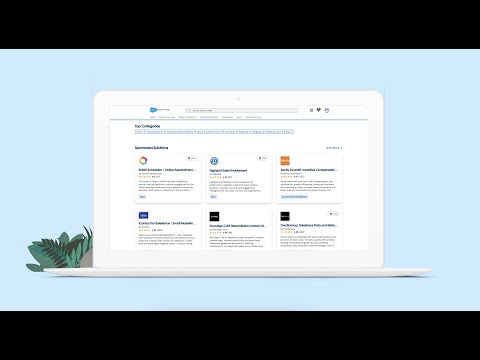
  • Personalize the user experience via Salesforce’s AppExchange app store, which offers thousands of useful add-ons covering specific business functions and industries.
Video thumbnail

Invest in user training

Salesforce’s steep learning curve calls for effective corporate training programs from new adopters.

  • To facilitate onboarding, provide new users with role-based Salesforce training covering specific functionality for marketing, sales, customer support, and analytics rather than a generic overview. For example, show sales reps exactly how to track leads or teach support agents how to manage cases using Salesforce Lightning Experience.
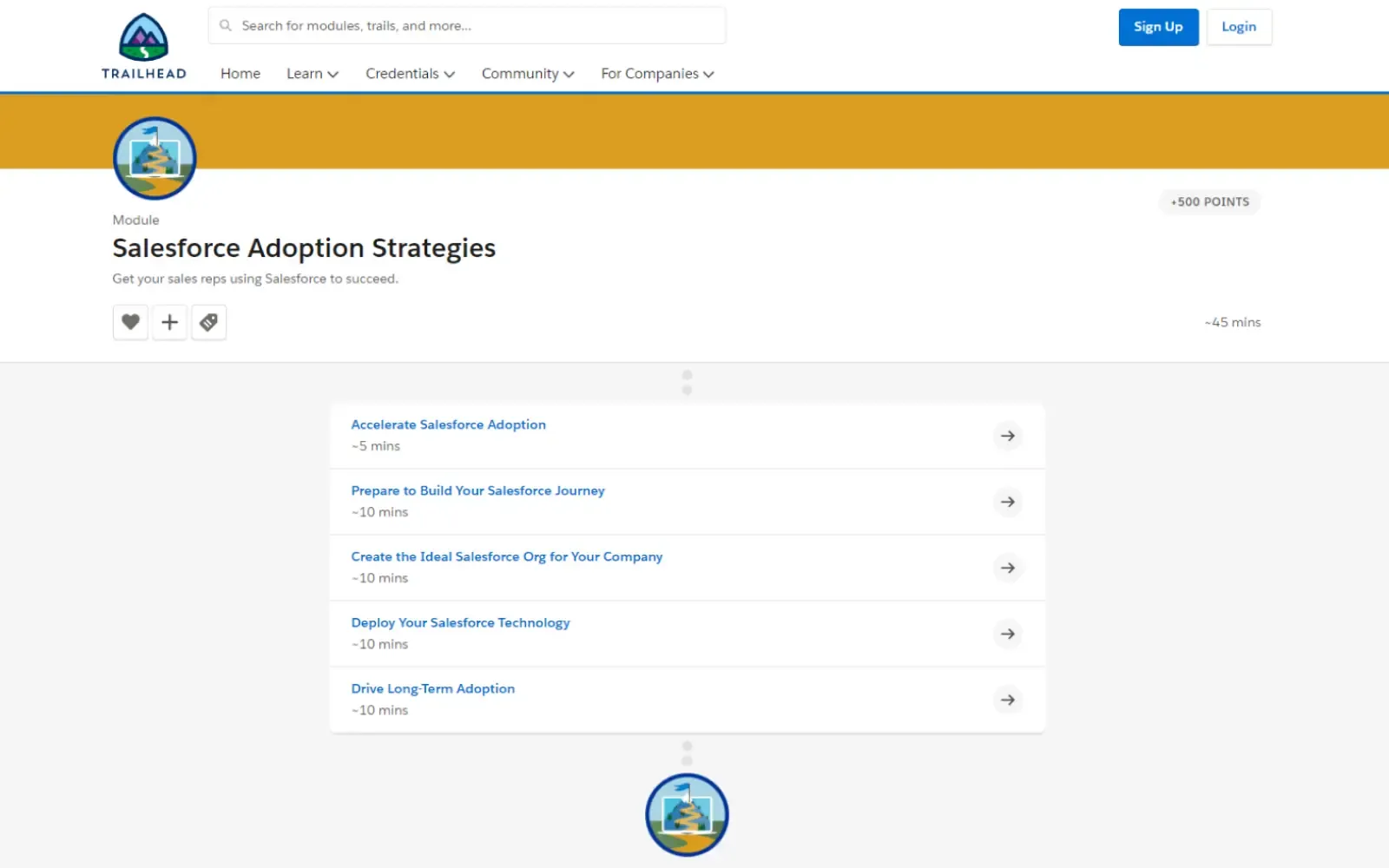
  • If you aren’t sure where to start with these personalized learning pathways, check out Salesforce’s learning center, Trailhead. It offers learning trails for different roles, levels, Salesforce products, and functions.
  • Complement Trailhead content with your own documentation and customize Salesforce’s Help Menu with links to your training materials. You can also implement In-App Guidance Prompts and Walkthroughs into user interfaces to offer tips via pop-up windows.
  • If In-App Guidance is not enough, you can rely on a digital adoption platform (DAP), an automation system layered on top of your Salesforce solution that provides users with interactive walkthroughs and step-by-step overlays.
  • Refer your employees to the Trailblazer Community, Salesforce’s self-help center where users discuss adoption issues and their solutions.
Salesforce Adoption Trail

Image title: Salesforce Adoption Trail
Image source: trailhead.salesforce.com — Salesforce adoption strategies

Promote collaboration & team play

Building a collaborative environment is one of the cornerstones of an effective knowledge management strategy which can encourage employees to share their Salesforce expertise and speed up its adoption.

  • Ask the most active users to prepare shareable cheat sheets or make amateur how-to videos with their own tips and tricks for using Salesforce.
  • Facilitate knowledge sharing with Chatter, Salesforce’s built-in social networking and collaboration tool that includes a chat system to communicate, send files, or gather feedback. You can also create Chatter Groups for individual teams or departments.
  • Some companies choose gamification to drive Salesforce adoption via team play and competition. However, keep in mind that an over-gamified learning experience can divert employees’ attention.

Create incentives to use Salesforce

You should aim for a friendly and collaborative environment to encourage employees to use Salesforce and drive its adoption.

  • Establish a “top-down” adoption culture where executives lead by example. If the leadership relies on Salesforce dashboards for meetings and refuses to accept reports generated in spreadsheets, employees will quickly recognize the platform as the single source of truth for the organization.
  • If your employees are used to certain apps that streamline their tasks (G Suite, Slack, Jira, etc.), integrate those apps with Salesforce. A synergistic ecosystem of tools will encourage them to use the new platform.
  • The potential of Salesforce customization enables your organization to replicate almost any process familiar to your employees. So you need to highlight this possibility and encourage your staff to step forward and voice their customization requests.

Phase 3: post-deployment

Measure the results of Salesforce adoption

Measuring Salesforce usage across your organization and collecting user feedback will help you identify potential roadblocks and properly address them.

  • Track Salesforce user adoption rates with metrics like login rates, created accounts, completed activities, neglected opportunities, or open tasks.
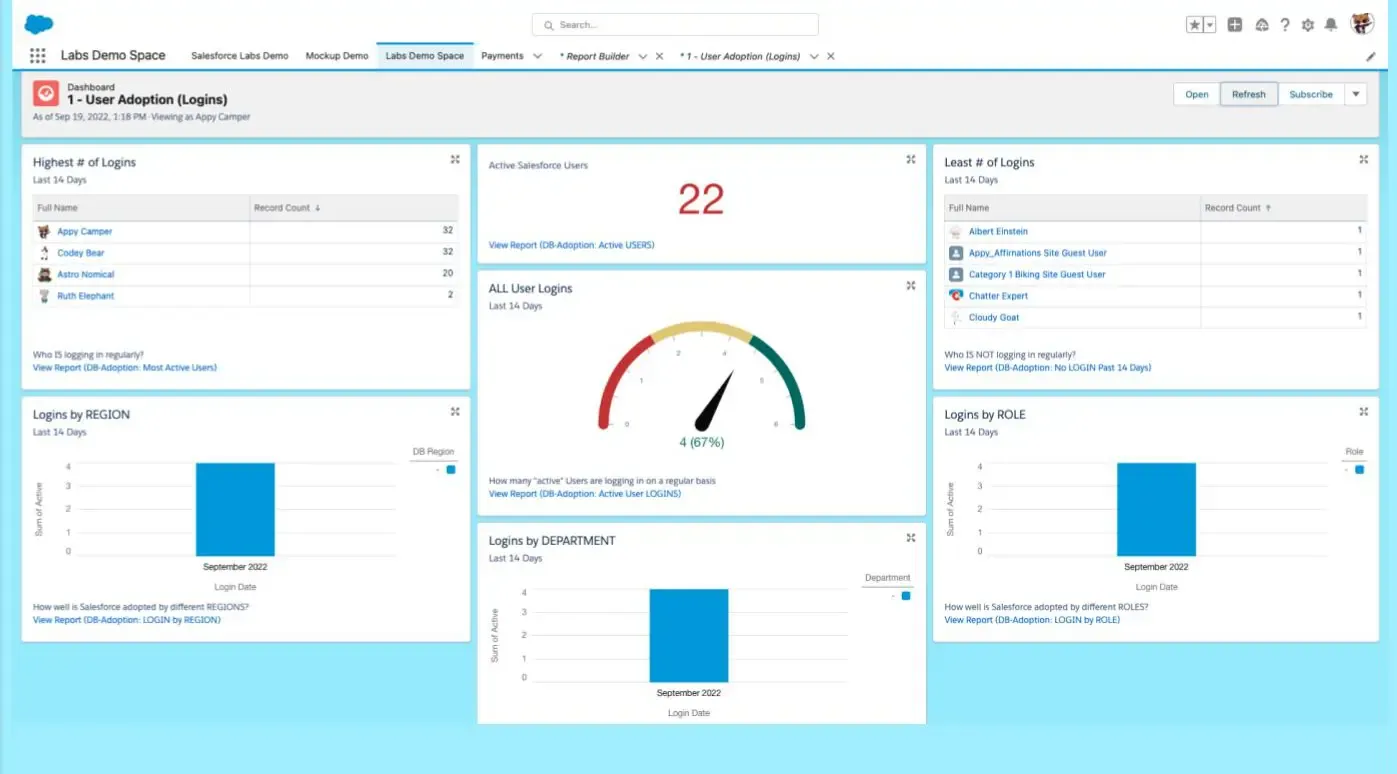
  • User adoption dashboards offer a clear visual representation of such metrics. Salesforce admins can build custom dashboards with the platform’s built-in Reports and Dashboards features. Alternatively, you can use the free Salesforce Adoption Dashboards add-on from the AppExchange package.
  • Rely on Chatter Groups and online surveys to ask end-users for feedback on their experience with Salesforce, including bugs and other technical issues they’ve faced.
Salesforce Adoption Dashboards’ interface

Image title: Salesforce Adoption Dashboards’ interface
Image source: appexchange.salesforce.com — Salesforce Adoption Dashboards

Audit Salesforce data

Entering accurate information into Salesforce results in higher-quality analytical insights, forecasts, and more comprehensive customer view, especially when you rely on a data-hungry tool like Einstein.

  • Salesforce recommends keeping an eye on various data quality metrics, including accounts with all key fields populated, accounts missing rating fields, and prospect accounts missing.
  • Regularly audit your data to maintain its high quality. For example, perform team-level weekly checks for quick scanning of records and monthly admin-led audits for data accuracy and completeness. Utilize special tools, such as Data Quality Analysis Dashboards available for free from Salesforce AppExchange, to identify missing fields or duplicates. With clean data, the AI-driven insights remain accurate and actionable.
  • Use Salesforce Optimizer’s data list section to monitor field usage and spot empty fields. Furthermore, some DAPs can identify data entered in the wrong format and alert users via field validation pop-ups and error messages.

Share positive results

Another way to retain your company's Salesforce users is to highlight the fruitful results the system is bringing.

  • Share success stories of how employees boosted sales productivity and other KPIs or landed a high-profile client using Salesforce. Show how the overall performance of departments has improved since Salesforce’s launch.
  • Praise employees who use Salesforce more frequently for their adoption efforts. For example, you can mention their achievements in Chatter.
  • Highlight how CRM data quality reports now contain fewer errors and inconsistencies. This way everyone who’s diligent in their Salesforce routine will feel their contribution is appreciated.

Our Salesforce services

Itransition is a certified Salesforce Partner that can guide organizations through their adoption journey and help overcome business challenges or technical issues.

Our Salesforce services
  • Assess your current Salesforce system
  • Select a suitable Salesforce edition and feature set
  • Define an implementation budget and roadmap
  • Assist with configuration and customization
  • Offer integration and migration advisory
  • Provide user training and support
  • Implement Salesforce into the target environment
  • Set up your Salesforce system via customization or configuration
  • Integrate Salesforce with your corporate systems
  • Execute QA and user acceptance testing
  • Migrate data from your legacy CRM to Salesforce

Implement your Salesforce solution with Itransition’s team

Contact us

Common Salesforce adoption pain points

Issues

Recommendations

Lack of executive buy-in
Launching a Salesforce adoption project requires full support and commitment from decision-makers. However, executives can fear business process disruptions, budget overruns, or high long-term licensing costs, especially if the user base is expected to grow.

Share successful case studies from other companies to highlight the benefits of adopting Salesforce.

Different stakeholders can have specific expectations for Salesforce adoption. Gather their feedback and point out that your Salesforce adoption strategy will align with their vision.

Employee resistance to change
When your employees are used to certain routines and legacy tools, a new platform means stepping out of their comfort zone and acquiring new skills. This can lead to Salesforce’s inconsistent or limited usage.

Communicate the benefits of Salesforce adoption, such as automating time-consuming clerical processes to reduce their workload.

Implement a system of incentives to reward employees who consistently use the new tool.

Complex usage
According to dozens of G2 reviews, one of the most common barriers to Salesforce adoption is the platform’s complexity and steep learning curve. Furthermore, Salesforce’s default UI and features may not be suitable for your usage scenario.

Launch reskilling and upskilling initiatives, including collaborative training, to help employees familiarize themselves with Salesforce.

Integrate personalized dashboards, automated workflows, and other elements to better meet end-user operational needs.

Poor data quality
Sporadic data entry, negligent record keeping, and information silos can result in incomplete, inaccurate, or inconsistent data. This can undermine Salesforce’s role as a reliable customer information source and analytics tool.

Establish a data governance strategy providing guidelines for effective data management, including regular account data enrichment or archival and data quality audits.

Enable seamless data exchange between Salesforce and other corporate systems or external services via native or third-party integrations to avoid inconsistencies.

User-centered Salesforce adoption

Despite its leading market position, Salesforce is not the easiest platform to introduce into your IT ecosystem. Its steep learning curve, combined with an overwhelming range of features, add-ons, and potential customizations, can intimidate future adopters and hinder the Salesforce implementation process.

Companies should address such concerns by placing users at the center of their change management strategy and communicating the Salesforce vision to them, tailoring the solution to their operational needs, and offering reskilling initiatives and incentives.

By putting users first and following a structured implementation roadmap, you can overcome employee resistance and maximize your Salesforce solution’s value. If you’re looking to transform your CRM workflows, Itransition’s certified experts can guide your Salesforce journey, from initial planning to long-term optimization.